
IPTV Subscription: The Ultimate Setup Guide in 6 Easy Steps
Learn how to easily set up your streaming iptv subscription in 4K quality on Smart TV, Firestick, Android, Apple TV/iPhone, Windows and MAG Box. Enjoy thousands of live channels, movies and series instantly. You can also check our subscription plans page to pick the option that suits you.
Get an IPTV SubscriptionChoose Your Device
Select your device below and follow the steps to set up your service in just a few minutes.
📺 Smart TV Installation
Easily install the IPTV Smarters PRO app on your Smart TV or Android TV to enjoy your premium channels in 4K.
Open Google Play Store
On your Smart TV or Android TV, open the Google Play Store and search for the IPTV Smarters PRO app.
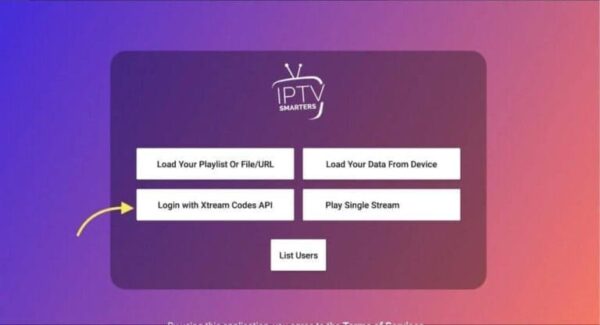
Log In With Xtream API
Select Xtream Codes API and enter your subscription details to sync all your channels.
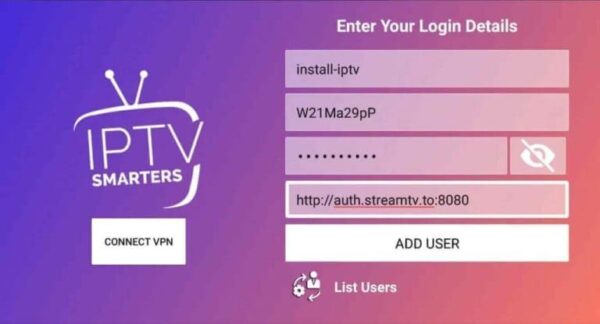
Start Watching
Instantly enjoy your channels, movies and series in HD/4K streaming right on your TV.
🔥 Firestick Installation
Set up your iptv subscription service on your Amazon Firestick using the Downloader app in a few simple steps.
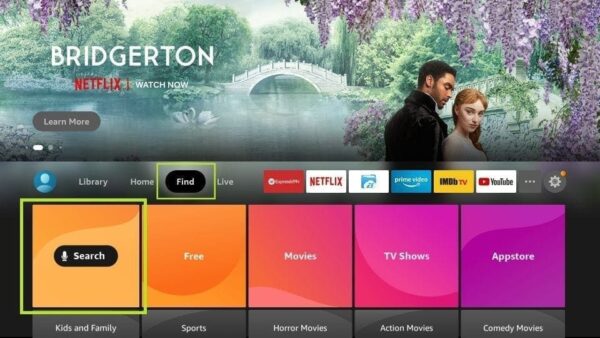
Install Downloader
Search for the Downloader app on your Firestick and install it to prepare the setup.
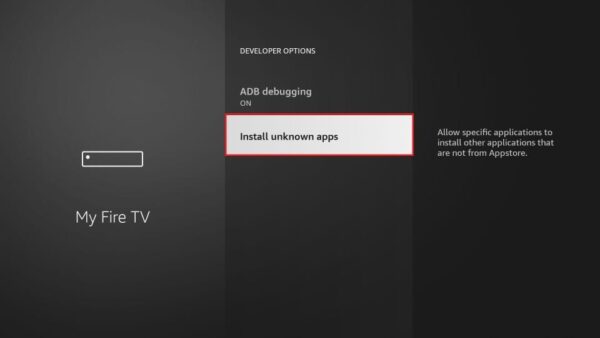
Allow External Apps
Enable the "Unknown Sources" option so Downloader can install the app on your Firestick.
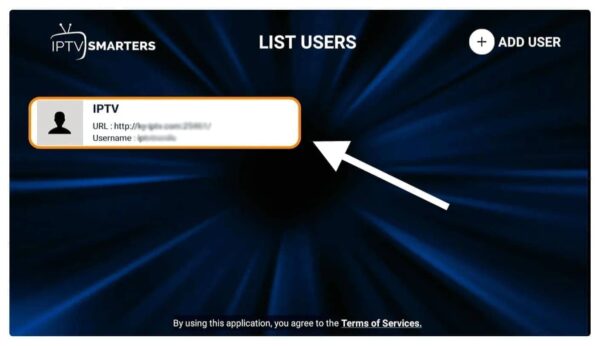
Log In and Enjoy
Enter your details to access all your live channels on your Firestick.
🍎 Apple / iOS Installation
Use Smarters Player Lite to watch your channels on iPhone, iPad or Apple TV, anywhere you use your iptv subscription.
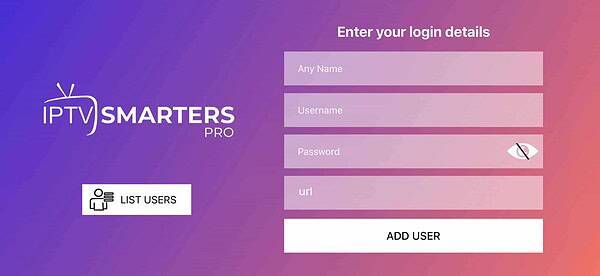
Install Smarters Player Lite
Download Smarters Player Lite for free from the App Store to enjoy your subscription on your Apple devices.
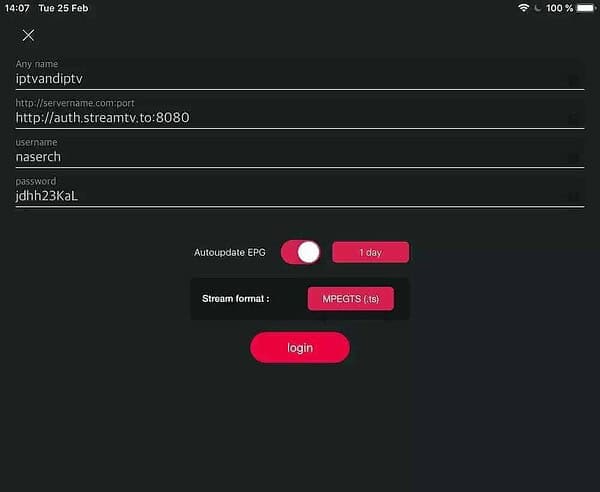
Add Your Account
Log in with your Xtream Codes API details to link your subscription to the app.
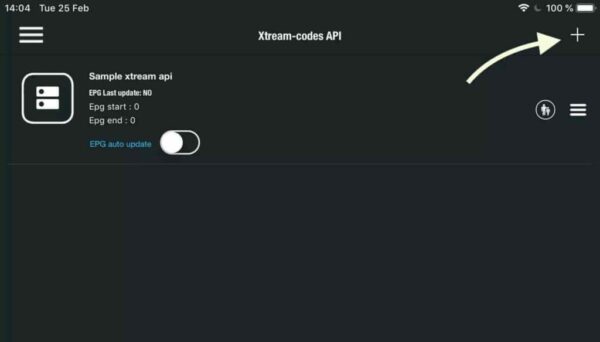
Download the Channels
Wait while all your channels, movies and VOD content load completely on your Apple device.
🤖 Android / TV Box Installation
Install your iptv subscription service on Android phones and Android TV boxes for smooth, stable streaming.
Install IPTV Smarters
Download IPTV Smarters PRO from Google Play to access your subscription on Android.
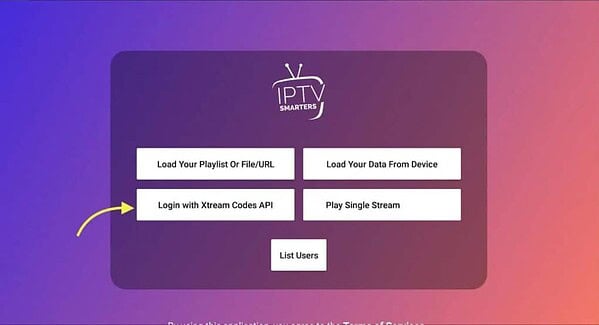
Enter Your Details
Add your username, password and portal URL to activate your subscription.
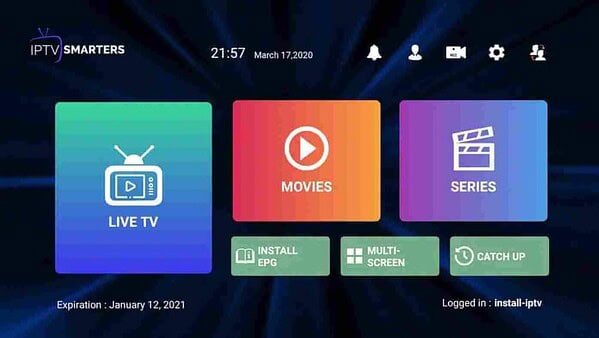
Watch Your Channels
Enjoy your movies, series and live channels directly from your Android device.
🖥 Windows / PC Installation
Watch your iptv subscription channels directly on your Windows computer in a few simple steps.
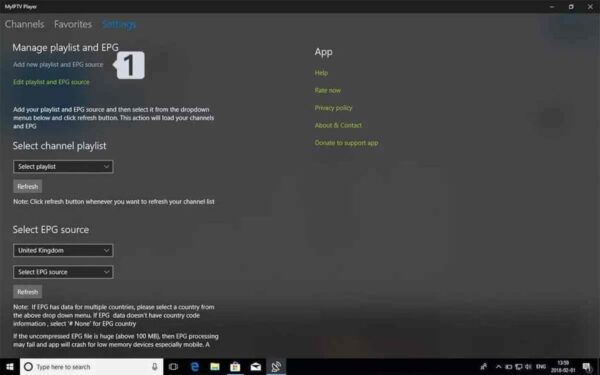
Open My IPTV Player
Launch the app on your Windows computer to start the setup process.
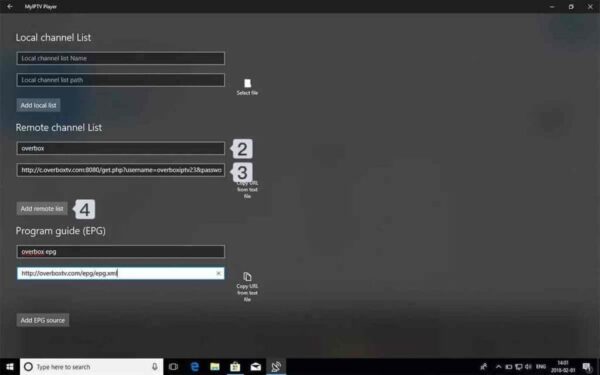
Add Your Playlist
Paste your M3U playlist URL to load all your channels and content on PC.
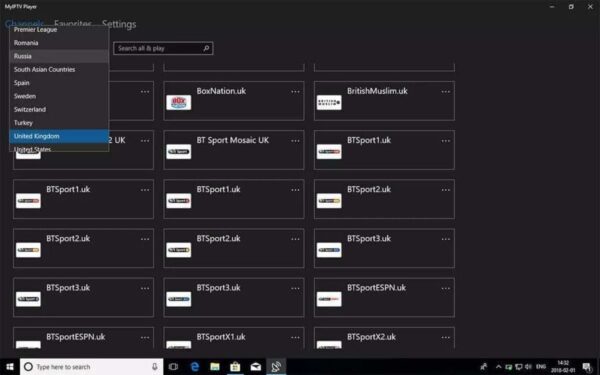
Start Watching
Enjoy your live channels, movies and series right on your computer.
📦 MAG Box Installation
Configure the portal URL of your iptv subscription service on your MAG device for stable, reliable streaming.
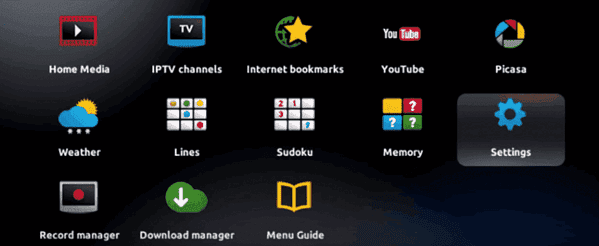
Open Settings
Use your MAG remote to access the Settings menu and start the configuration.
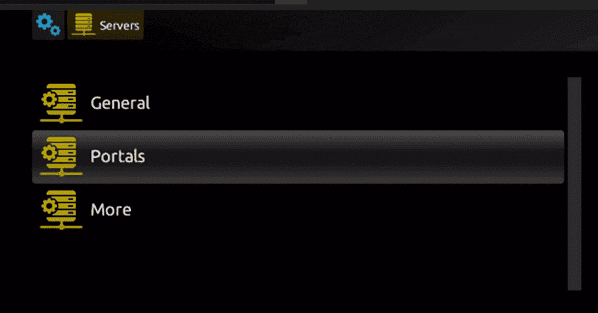
Configure the Portal
Enter the portal URL provided with your subscription to activate the service.
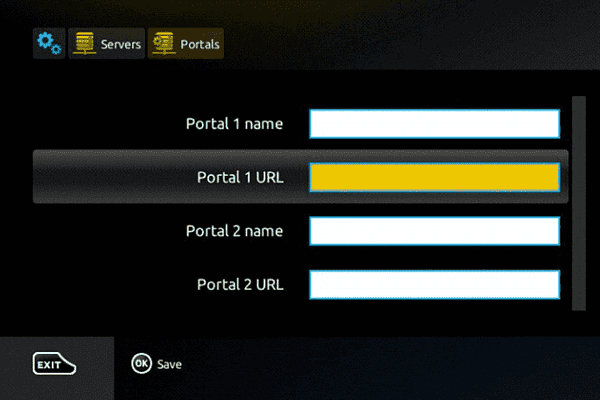
Restart Your MAG Box
Save the settings and restart your MAG box to finish the installation.
Need Help With Your IPTV Subscription Setup?
Contact our support team and we'll guide you step by step on Smart TV, Firestick, Android, iPhone, Windows and MAG Box.